|
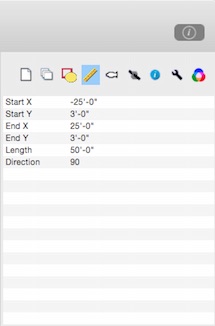
The measurements tab gives direct access to the size and location of selected objects. Double-click a value to edit it.
The properties displayed depend on the characteristics of the object(s) that are selected. A line has a length, but a rectangle has a height.
If there is more than one object selected and the values for a property are not the same, the property name will be followed by "(...)". Editing a value changes that property for all selected objects.
When entering distances, you can use normal decimal values. The unit designations: ', ", cm, or m are ignored. To enter feet and inches, seperate them with a dash. For example to enter six and a half inches, enter: 0-6.5 which will be interpreted and displayed as 0'-6.5".
The tab key will advance the selected row. The return key will initiate editing of the value of the selected row.
|