|
Overview Tools Inspector
-Document Menus Report Window Help Index |
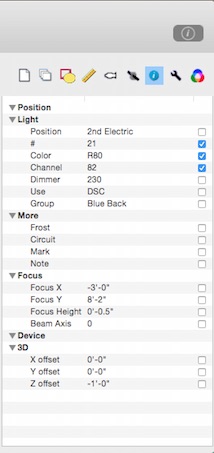
The Inspector Panel -> Info Tab
Keyboard Shortcuts LXBeams responds to shortcut keys (see table below) that cause the inspector to jump to editing the corresponding info property for selected symbols. These shortcuts are available when the top active window is a plot window containing selected symbols. For example, pressing the "c" key will cause the inspector to jump to editing the selected symbol's channel field. The same result could be achieved by clicking on to the info tab and double clicking the value of the channel field.
The capital letter (shift+key) will toggle the display of the field, equivalent to checking the box in the inspector. For example, pressing C (shift+"c") will cause the inspector to toggle the display of the selected symbol's channel field.
|