Index -> Menu Reference -> Options Menu Reference -> Editing Plans
A plan is a list of events. Each event in the plan has an offset in days in addition to the regular event information.
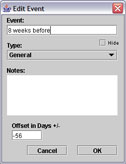
An example of a plan might be a week's training containing several events. Instead of adding them individually, you can select a single day and add them all at once by using the Tools -> Plan -> Insert Plan command.
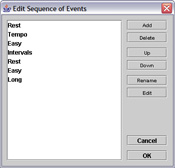
Inserting a plan adds events to the calendar based on their offset from the date selected. In the above example, you would select a Sunday in the calendar (the day of the long run) and choose Insert Plan. This would add the run plan to that week's events.
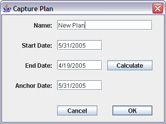
You can also capture a sequence of events using the Tools -> Plan -> Capture Plan command. To use this command, select a date in the calendar to use as the anchor. For example, if you want to capture events leading up to a race, select the day of the race. Once you indicate a range of dates to capture, a new plan will be created capturing all events between those dates with the offset(s) refering to the anchor date. Note: this captures events, not log entries.