Index -> Menu Reference -> Options Menu Reference -> Editing Data Fields
Log Data fields are a list of user defined types of information that can be added to log entries. For example, you might wish to keep track of heart rate, cadence or the place you came in for a race.
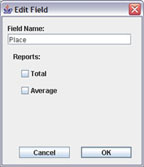
Once you've added a field to the Log Data Fields list, you can enter records of that type of data to log entries. You do this by adding an item to the "Other Log Data" list in a log entry dialog.
Data fields can be included in report columns. For summary reports, you can calculate a total or average.